Make it yours.
Create your account, choose your subscription, and download the app on the Mac you want to reach.
 IT SPACE TIMEA Flamingo Time product
YOUR WORKSPACE. WITHIN REACH.
The file on your desktop. The app you need. The work you want to finish. Reach your Mac from a trusted Mac or iPhone, wherever you connect.
One host Mac. Your trusted devices. A subscription you control.

A SHORT TRIP TO SETUP
Create your account, choose your subscription, and download the app on the Mac you want to reach.
Link that Mac to your account. Pair your controller nearby once, approve the Mac permissions, and enable internet access.
Choose your saved Mac from the app. Your trusted devices verify each other before your screen and controls connect.
YOUR DESKTOP. YOUR FAMILIAR TOOLS.
No duplicate workspace to maintain. Use the apps, files, and desktop already on your host Mac.
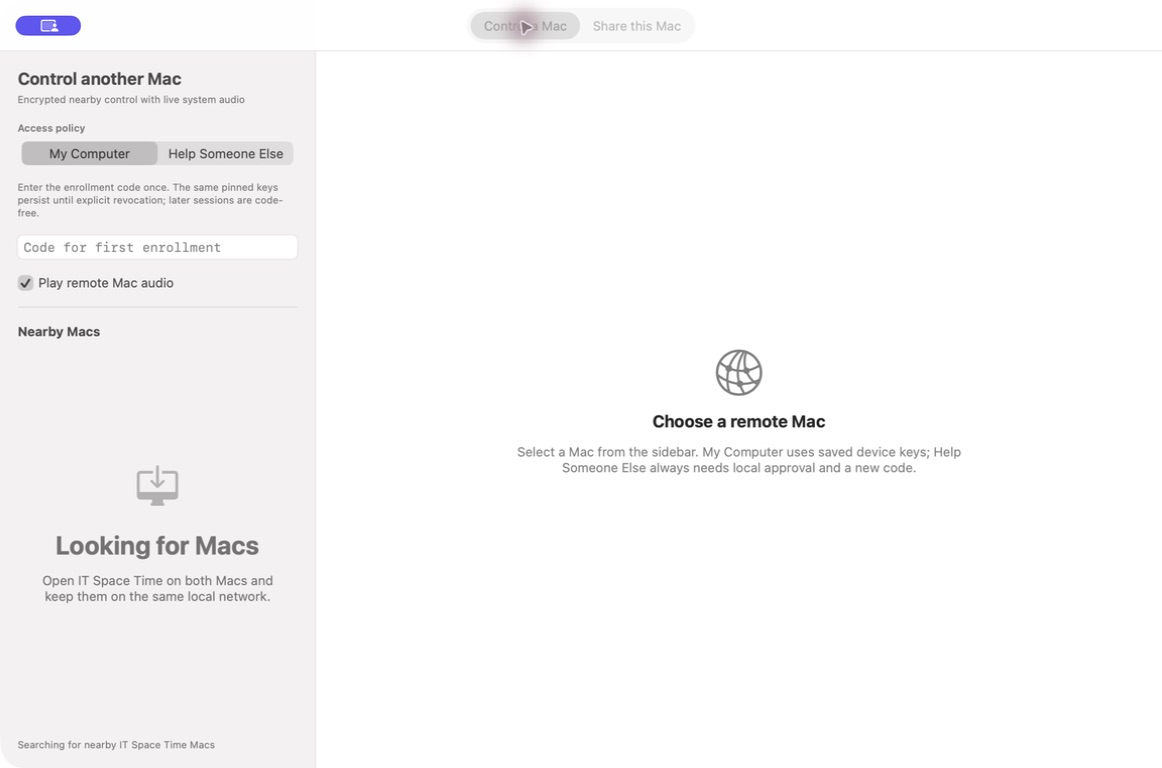
Open the full-size interface previewInterface preview. A live two-network session is part of the release checks.
YOU HOLD THE KEYS
Your account pays for connectivity. Your paired device keys authorize control. Every reconnect must prove that trust again.
Fresh session keys protect screen, audio, and control messages as they cross the relay.
Screen Recording and Accessibility require local permission. FileVault and macOS security prompts remain under Apple's control.
Pause sharing, revoke a controller in the host app, or remove your Mac's internet access from your account.
A LITTLE DISTANCE. A LOT OF POSSIBILITY.
Set up your account and get the app when the release opens.
Quick support uses Google Chrome Remote Desktop as a temporary bridge, with its own account and privacy terms.